
 BTC
BTC
 ETH
ETH
 LTC
LTC
 BCH
BCH
 DOGE
DOGE
 USDT
USDT
 DASH
DASH
 USDC
USDC
 XRP
XRP
 XMR
XMR
 TRX
TRX
 BNB
BNB
 SHIB
SHIB
 SOL
SOL
 DAI
DAI
 ZEC
ZEC
 ETC
ETC
 POL
POL
 ADA
ADA
 XLM
XLM
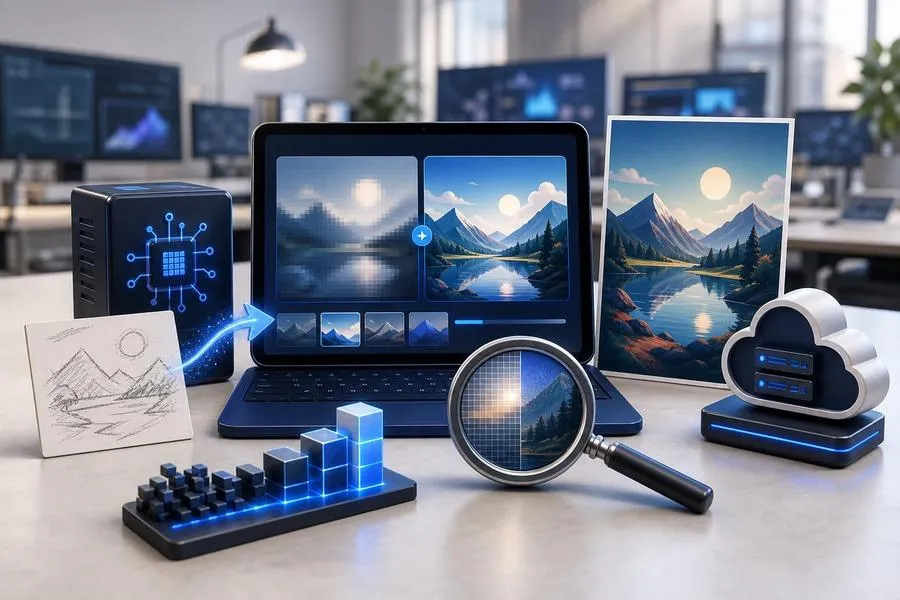
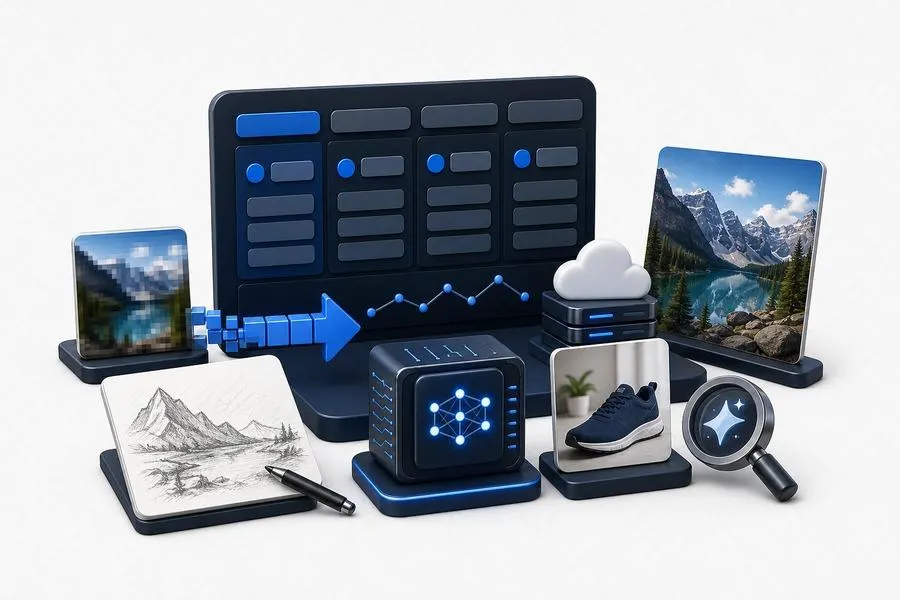
Sometimes you only have a rough sketch or a small thumbnail, but you need a high-resolution poster for a marketing campaign. Recreating these assets from scratch takes up too much design time.
Modern design workflows rely on intelligent generation systems that let you turn any reference image into a high-quality creative asset.
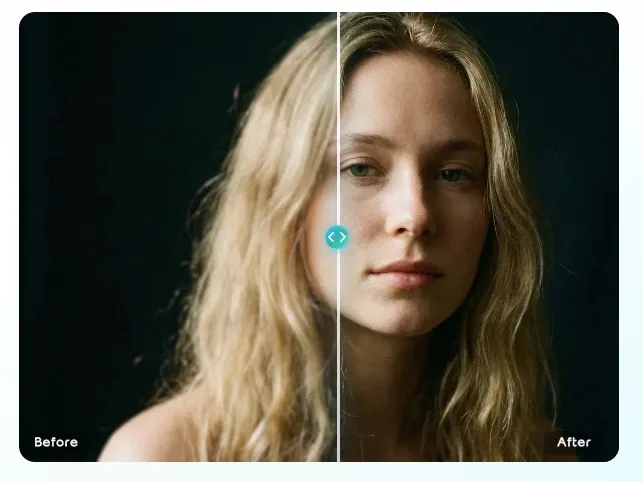
You can use web-based tools to upgrade your visual assets without advanced design skills. Deploying a high-performance AI image upscaler online allows you to raise low-resolution files to commercial standards. Once you have a clean base, a free image-to-image generator helps you use that product angle to create new marketing assets with different holiday themes or background styles.
This iterative process helps small businesses scale their content production. You do not need to rent expensive studios for every seasonal promotion. You can focus on your product copy and let cloud algorithms handle the lighting, environments, and pixel expansion in a few seconds.
2026 Image-to-Image and Upscaler Overview
Review the summary table below to compare the features and access levels of these online tools.
Platform Name | Main Focus | Free Allowance | Output Quality |
EzRemove AI | Clean pixel enhancement | Daily free credits | 4K crisp preservation |
EzCreate AI | Image-to-image style transformation | Free trial upon registration | Detailed creative outputs |
MyImageUpscaler | Instant browser pixel filling | Entirely free without registration | Ideal for casual web use |
Deep Dream Generator | Artistic style enhancement | Daily energy refresh | Strong artistic expression |
Krea AI | Real-time rendering canvas | Free basic tier | Great for creative exploration |
1. EzRemove AI
Overview
EzRemove AI puts a powerful super-resolution algorithm into a simple web interface. The platform leaves the original structure of your photo alone and focuses entirely on predicting details lost during compression. This approach makes it a dependable option for ID photos, text screenshots, and e-commerce product shots that must remain accurate.
Key Features
Advanced de-blocking features remove pixelation caused by web compression.
One-click functions lift low-quality bitmaps into print-ready resolutions.
Optimized web servers deliver quick downloads without long wait times.
The platform exports clean files without forcing any commercial watermarks on you.
Pros & Cons
Pros: It creates very sharp lines, which work well for images containing text or geometric shapes.
Cons: It lacks artistic generation features and cannot add new items to your photo.
Best For: Office workers who need to fix old brochures, logos, or product graphics.
2. EzCreate AI
Overview
EzCreate AI specializes in flexible image transformation and extension. Its image-to-image module lets you adjust an influence slider to decide how closely the new output follows your original file. You can use it to swap models, change scenes, or turn a basic line drawing into a realistic photo with natural lighting.
Key Features
Precise image-to-image matrices keep control over structural changes.
You can add text prompts to modify specific parts of your original image.
Natural light blending ensures new environments wrap around your subject seamlessly.
A library of popular commercial templates helps you start projects quickly.
Pros & Cons
Pros: It offers immense creative freedom and produces rich details that look professional.
Cons: Setting the influence slider too high can distort the core structure of your subject.
Best For: Content planners who need to refresh marketing ideas and social media assets.
3. MyImageUpscaler
Overview
MyImageUpscaler is a popular web utility that requires no registration or account setup. You open the website, drop your file into the box, and the system uses a lightweight model to double your image size. It removes the friction often found in online editing tools.
Key Features
No login or registration process keeps your online data private.
The lightweight neural network processes enlargements quickly in your browser.
A simple interface offers a true one-click operation without complex sliders.
The layout adapts smoothly to mobile phone browsers for on-the-go adjustments.
Pros & Cons
Pros: It is incredibly fast and eliminates the hassle of creating accounts for quick fixes.
Cons: The enlargement scale and restoration power are lower than those of professional suites.
Best For: Casual internet users who need to clean up web graphics or memes quickly.
4. Deep Dream Generator
Overview
Deep Dream Generator focuses on artistic transformation. It excels at turning ordinary photographs into stylized oil paintings, digital art, or sci-fi environments. Its creative upscale feature adds deep textures to your images while expanding their physical dimensions.
Key Features
Specialized deep style transfer algorithms change the mood of your photo.
High dynamic range color enhancement makes your visual assets vibrant.
A public community feed lets you learn from the settings of other creators.
Detailed carving modules enhance large canvases for digital backgrounds.
Pros & Cons
Pros: The outputs have a rich artistic feel that works well for unique wallpapers or print art.
Cons: Running processes consumes community energy points, and it struggles with realistic styles.
Best For: Digital artists and illustrators looking for unique texture transformations.
5. Krea AI
Overview
Krea AI features a real-time image-to-image interaction loop. You can move simple shapes or draw lines on the left side of your canvas, and the right window shows the rendered high-definition result instantly. This fast feedback loop changes how you experiment with layout options.
Key Features
Real-time interactive rendering windows speed up your design choices.
Extreme enhancement modes support upscaling images up to 22K resolution.
The system reads your composition layouts and color choices accurately.
Infinite outward canvas expansion lets you un-crop images seamlessly.
Pros & Cons
Pros: The smooth interaction helps you test dozens of compositions in a few minutes.
Cons: The real-time rendering tool requires a solid internet connection and modern browser engines.
Best For: Design directors and creative leads who run frequent visual brainstorming sessions.
Frequently Asked Questions
How does an image-to-image generator speed up content production?
You don't need to shoot new product photos for every holiday campaign. You can upload an existing photo, change the background style with text prompts, and get a new marketing asset in a few seconds.
Can I use these online upscalers completely for free?
Many platforms offer daily free credits or basic tiers. Tools like MyImageUpscaler don't even require registration. If you need to process massive batches of images in high definition, you'll need a premium plan.
Will the generated images look realistic enough for commercial use?
The realism depends on how you set the influence slider. Setting the slider to a medium level keeps your original product shape intact while blending the new background lighting naturally.