
 English
 Español
 Français
 Português
 BTC
 ETH
 LTC
 BCH
 USDT
 DOGE
 DASH
 USDC
 XRP
 XMR
 TRX
 BNB
 SHIB
 SOL
 DAI
 ZEC
 ETC
 POL
 ADA
 XLM
Making professional videos used to be a slow process. You needed a big budget, a team of editors, and expensive cameras. If you wanted to add special effects, you had to wait weeks for the final render. Now, things are different. Tools are becoming more powerful and easier to use for everyone. Seedance 2.5 is at the center of this shift. It helps you turn your creative ideas into high quality clips without the old technical barriers.
Many creators struggle to keep up with the demand for new content. If you post on social media, you know that speed is everything. Using the Seedance 2.5 AI Video Generator allows you to produce stunning visuals in a fraction of the time it took before. You do not need to be a master of complex software to get great results. This tool handles the heavy lifting so you can focus on your vision and storytelling.
The latest version brings a lot of improvements to the table. It fixes many of the common issues found in earlier versions of artificial intelligence tools. For example, the movement of characters looks more natural now. The way light hits surfaces is more realistic. These small details make a huge difference when you want your audience to stay engaged. When the video looks real, people trust your message more.
Before you start your video project, you might need to clean up your source images. A good workflow often starts with a high quality still. You can use a free AI photo editor to adjust your portraits or product shots before you turn them into motion. This ensures that the base of your video is perfect. Once your image is ready, the transition into a moving scene becomes much smoother and more professional.
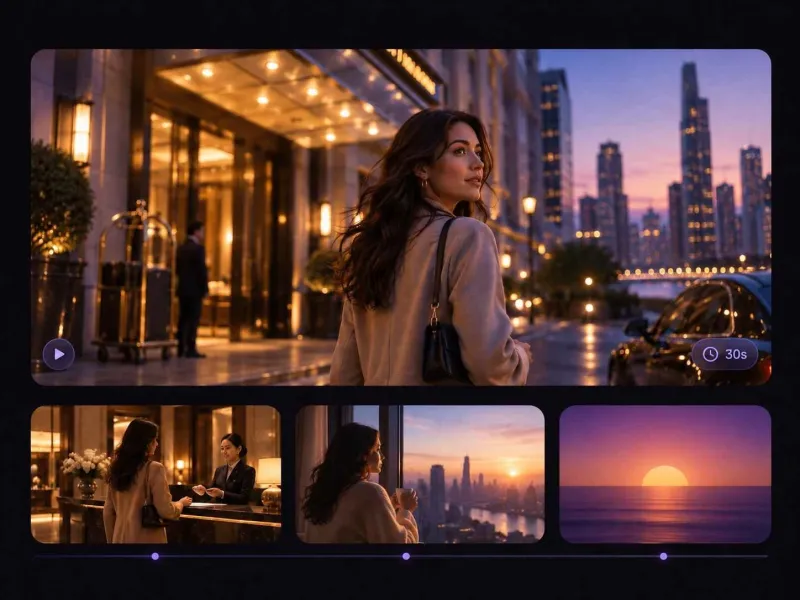
Real World Scenario 1 Social Media Growth
Social media managers face a lot of pressure to be original every single day. If you post the same kind of content over and over, your followers might lose interest. You need something that stops the scroll. Seedance 2.5 helps you create unique backgrounds and character animations that look like they came from a big studio. You can take a simple text prompt and turn it into a 10 second clip that highlights a new product or a lifestyle moment.
The benefit here is the ability to test ideas quickly. You do not have to spend thousands of dollars on a film shoot just to see if an idea works. You can generate five different versions of a video in one afternoon. This allows you to see which style your audience likes best. If one version gets more likes and shares, you can make more content just like it. This data driven approach to creativity is only possible with fast tools.
Real World Scenario 2 Small Business Marketing
Small businesses often have great products but lack the marketing budget to show them off. A local bakery or a handmade jewelry shop might not have the funds for a professional videographer. With Seedance 2.5, these owners can become their own production house. They can take a photo of their shop and use the tool to add cinematic camera movements. It makes a simple storefront look like a scene from a movie.
This level of quality helps small brands compete with larger companies. When a customer sees a high quality video on a website, they perceive the brand as more reliable. You can create ads for Instagram or Facebook that look expensive but cost almost nothing to make. This levels the playing field for entrepreneurs who are just starting out. It gives them the tools to tell their story in a way that captures attention and builds a loyal customer base.
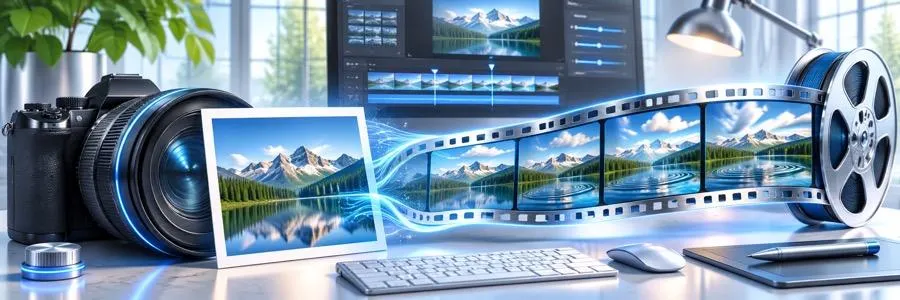
Real World Scenario 3 Education and Training
Teachers and corporate trainers often struggle to keep their students focused. Long blocks of text or static slides are not very exciting. Video is a much better way to explain complex topics. Seedance 2.5 can be used to create visual metaphors or historical reenactments that bring lessons to life. If a teacher is talking about ancient history, they can generate a short clip of an ancient city to show the students what it might have looked like.
In a corporate setting, HR departments can use these videos for onboarding. Instead of a boring handbook, new employees can watch short clips that explain the company culture and safety rules. This makes the information easier to remember. Because the tool is so fast, the training team can update the videos whenever the rules change without having to hire a film crew again. It saves time and ensures that everyone has the most current information.
Benefits per Scenario
Each of these scenarios shows how the tool solves specific problems. For social media, the main benefit is the sheer volume of content you can produce. For small businesses, the benefit is the professional look that builds trust. For educators, the benefit is the increased engagement from students. All of these users share a common goal which is to communicate more effectively through visual media.
The software also reduces the learning curve. You do not need to spend months learning how to use keyframes or color grading tools. The AI understands what you want based on your descriptions. If you tell it to make a scene look moody and dark, it knows how to adjust the lighting and shadows. This intuitive interface is what makes the 2.5 version so much better for general users who are not professional editors.
Feature Comparison
To understand why this version is a step up, look at how it compares to older methods.
Feature | Traditional Editing | Seedance 2.5 |
Time to Create | Days or Weeks | Minutes or Hours |
Cost | Very High | Affordable |
Skill Level | Professional | Beginner to Intermediate |
Hardware Needs | High End PC | Cloud Based |
Flexibility | Hard to Change | Easy to Re-generate |
As you can see, the shift toward AI tools makes video production accessible to more people. You no longer need a room full of servers to render a high definition clip. Everything happens in the cloud, which means you can work from a basic laptop or even a tablet. This freedom allows you to create whenever inspiration strikes.
Practical Workflow for Best Results
To get the most out of Seedance 2.5, you should follow a simple workflow. Start with a clear concept. Write down what you want to see in the video. Be specific about the characters, the setting, and the mood. The more detail you provide in your prompt, the better the AI will perform. Think about the colors and the type of lighting you want.
Next, prepare your assets. If you are using an existing image as a starting point, make sure it is high resolution. Use a photo editor to remove any distracting elements from the background. Once your image is clean, upload it to the generator. Choose your settings carefully. You can adjust the motion scale to decide how much movement you want in the scene. A low scale is good for subtle movements like wind in the trees, while a high scale is better for action scenes.
After the video is generated, review it for any small errors. Sometimes the AI might make a mistake with a hand or a background object. If this happens, you can use the seed number to generate a similar version with slight changes. This process of refinement is how you get a perfect final product. Once you are happy with the result, you can export it in the resolution that fits your platform, whether that is a vertical format for phones or a wide format for YouTube.
Common Mistakes to Avoid
One mistake people make is being too vague with their prompts. If you just type "a car on a road," the AI has too many choices. It might give you a cartoon car or a vintage car when you wanted a modern sports car. Be descriptive. Say "a red modern sports car driving on a coastal highway at sunset." This gives the tool a clear direction.
Another mistake is ignoring the frame rate and resolution settings. If you want your video to look like a movie, you should pay attention to these technical details. Higher frame rates make motion look smoother, but sometimes a lower frame rate gives a more cinematic feel. Experiment with different settings to see what works for your specific project. Do not be afraid to try things multiple times until you get the look you want.
The Future of Video Creation
We are entering a time where the only limit to making a video is your imagination. Seedance 2.5 is a big part of that future. It removes the boring, repetitive parts of editing and lets you focus on the art. As the technology continues to improve, we will see even more realistic textures and better physics. This means that soon, it will be hard to tell the difference between an AI video and one shot on a real set.
This technology is not just for experts. It is for the student who wants to make a cool project for class. It is for the grandmother who wants to make a special video for her family. It is for the dreamer who has a story to tell but never had the tools to tell it. By making video creation simple and fast, we are opening the door for millions of new voices to be heard.
In conclusion, Seedance 2.5 is more than just a software update. It is a tool that empowers people to create. Whether you are building a brand, teaching a class, or just having fun, this generator provides the quality you need to stand out. Start with a clear plan, use the right tools to prep your images, and let the AI bring your vision to life. The world of video is changing, and you have everything you need to be a part of it.
