BTC
BTC
 ETH
ETH
 LTC
LTC
 BCH
BCH
 DOGE
DOGE
 USDT
USDT
 DASH
DASH
 XRP
XRP
 USDC
USDC
 XMR
XMR
 TRX
TRX
 BNB
BNB
 SHIB
SHIB
 DAI
DAI
 ZEC
ZEC
 SOL
SOL
 ETC
ETC
 POL
POL
 XLM
XLM
 ADA
ADA

Searching for GameZone Philippines often brings up an overwhelming mix of results, including ads, social media pages, download buttons, and websites that closely resemble the brand.
For first-time users exploring GameZone casino Philippines or browsing GameZone online, verifying the real platform becomes a key step before registration, app installation, or sharing personal details.
The issue becomes more visible as imitation pages adopt familiar design cues such as logos, color palettes, and layouts. Risk increases when these pages promote exaggerated bonuses, “exclusive” app builds, or quick-download APK links to push users toward unsafe sources.
Because GameZone is PAGCOR-licensed and access applies only to users 21 years old and above, verification also supports regulated play, identity protection, and responsible gaming safeguards from the start.
Search Results Flooded With Ads, Unofficial Links, and Copycat Pages
A typical online search for “GameZone PH” can return:
Sponsored results placed above organic listings
Social media posts offering download links
Unofficial “mirror” websites using similar branding
Third-party APK pages claiming to provide the “latest app”
Promotions circulating through chats and group pages
For new users, the challenge often comes from how professional fake pages look. Visual polish and brand-like design can create a false sense of legitimacy—especially on mobile screens where URLs and domain details appear less obvious.
Why Verification Gains Importance as Scam Tactics Get More Sophisticated
Fake platforms increasingly mirror real brands with attention to small details. Instead of obvious errors, imitation pages can use:
high-quality logos and banners
near-identical page layouts
cloned landing pages showing “download now” buttons
promo graphics designed for quick sharing
Some pages rely on urgency marketing, including limited-time offers or “instant bonus” claims. These tactics aim to shorten decision time, encouraging users to download an app before checking authenticity.
A Platform Check Scenario: Two Players, Two Different Outcomes
Two first-time players decide to try GameZone after hearing recommendations. One clicks the first sponsored listing shown in search results, downloads an unfamiliar application, and signs up immediately. Another takes extra time to confirm they have reached the proper source, then checks licensing details, compares announcements, and downloads through official channels.
Both players may access content that appears similar at first glance. Only one gains confidence around software updates, protection tools, and legitimate account handling. In the online environment, safety often begins before installation—starting with the source.
Understanding “Authority Bias” and Why Lookalike Sites Work
Many users trust what looks official. Behavioral research often links this to authority bias, where professional presentation signals credibility. Scammers exploit that tendency by creating websites that “feel” legitimate through branding and polished design.
Verification habits rely on objective checks instead of visual impressions. The key questions often include:
Which domain appears in the browser address bar?
Does the platform clearly present PAGCOR licensing details?
Do customer support contacts match official listings?
Do download instructions originate from the official site itself?
These checks reduce the chance of signing up on the wrong platform.
Five Verification Methods for the Official GameZone Philippines Platform
1) Enter the Official Website Directly
A safer workflow starts by navigating straight to the official GameZone website: gzone.ph, instead of relying on ads or random social links. Official pages typically serve as the central reference for:
registration steps
download instructions
customer support channels
promo announcements and platform updates
2) Confirm PAGCOR Licensing and Responsible Gaming Policies
PAGCOR regulation plays a major role in legitimacy signals within the Philippine gaming space. An official platform commonly displays:
licensing identifiers or references
age restriction notices (21+)
responsible gaming tools and policy links
A lack of clear licensing information can serve as a warning sign, especially on copycat pages that focus more on downloads than regulation.
3) Download Only Through Official Channels
App safety depends heavily on the download source. Official channels commonly deliver:
current software versions
security patches and protection improvements
performance updates and bug fixes
a more reliable update path
Unknown APK sites often increase risk through hidden malware, modified builds, or outdated versions.
4) Cross-Check Customer Support Details
Customer support information provides another verification point. Official support typically matches what appears on the main website. Conflicting details—such as different email addresses, duplicate pages, or unusual messaging accounts—can indicate spoofing.
5) Compare Promotions With Official Announcements
Social media promotions can spread quickly, including posts that claim “exclusive” bonuses or special download links. A safer practice involves checking whether the same promotion appears on official GameZone announcements. Legitimate promos typically show up through verified communication channels.
Risk Guide: Common Pitfalls and Their Practical Fixes
Downloading third-party APK files
Risk level: HighUnofficial APKs may contain malware, trackers, or compromised code.Safer approach: downloads routed through gzone.ph or supported app stores when available.
Trusting fake promotions
Risk level: ModerateScam promos often redirect users to imitation pages designed to harvest data.Safer approach: promo confirmation through official announcements.
Registering without verification
Risk level: ModerateEntering personal information on unofficial pages increases privacy and account takeover risks.Safer approach: domain and licensing verification before sign-up.
Ignoring software updates
Risk level: Low to ModerateOlder versions may lack critical security improvements.Safer approach: updates installed through the official channel only.
First-Time User Checklist: Secure Steps Before Playing
Slow down before registration
A few minutes of verification can prevent long-term issues such as compromised accounts or unsafe downloads. Rushing often increases vulnerability to ad traps and imitation sites.
Bookmark the verified site
Repeated searching increases the chance of clicking the wrong result. Bookmarking gzone.ph reduces exposure to sponsored links and copycat domains.
Explore the platform before depositing or playing
A short review of the interface helps build familiarity with:
navigation menus
account settings
responsible gaming tools
customer support options
available game categories
Think long-term account safety
Choices made during sign-up influence long-term account security. Official access supports consistent updates and better protection across months or years of use.
How Official GameZone App Downloads Typically Work
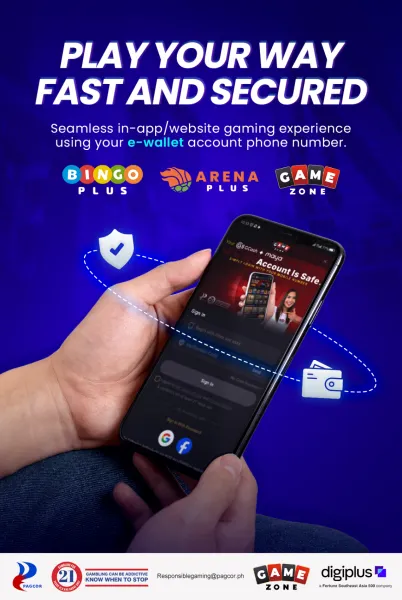
The official flow generally follows a simple sequence:
Visit gzone.ph
Register an account or log in
Follow the official download instructions shown after login
Install using authorized channels (and supported app stores where available)
Avoid unofficial APK pages and third-party download sites, even when highly ranked in search
Responsible Gaming Focus Under PAGCOR Licensing (21+)
PAGCOR licensing ties into regulated access and player protection. GameZone availability applies to users 21 years old and above, supporting responsible play standards. Key tools commonly highlighted include:
session reminders
spending controls
self-exclusion options
Responsible gaming features support healthier habits by helping players manage time, budget, and play frequency.
FAQs
How does verification for the official GameZone Philippines website work?Use gzone.ph directly, confirm PAGCOR licensing details, and follow official download instructions only.
Is GameZone legitimate?PAGCOR-licensed operation and 21+ access serve as legitimacy indicators, while fake pages may imitate branding to mislead users.
How does official app downloading work?Registration or login via gzone.ph typically leads to the authorized download option, with supported app store availability depending on device.
What games appear on GameZone?Multiple gaming categories appear within one platform account, allowing users to explore options without switching providers.