 English
 Español
 Français
 Português
 BTC
 ETH
 LTC
 BCH
 USDT
 DOGE
 DASH
 USDC
 XRP
 XMR
 TRX
 BNB
 SHIB
 SOL
 DAI
 ZEC
 ETC
 POL
 ADA
 XLM
Premium listing
Stand out in relevant directory categories with priority placement and a richer company profile.

Cryptwerk Merchant Business
Get priority placement in relevant directory categories, list up to 20,000 active products, and manage your Cryptwerk profile and offers through a compatible AI client.
One company. Premium, Market, Geo Premium and MCP for your selected term.

Plans
The same package for one company. Choose three months, six months or a full year.
A year saves $197 (about 33%) compared with four three-month periods at the base rate.
Comparison based on base prices checked on 25 October 2026: $149 / $259 / $399 for the full term. Monthly figures are equivalents, not monthly billing. The current full-term prices are shown in the order cards above. Category-specific Premium pricing may apply.
Questions about your category, catalogue or setup? Ask [email protected] before ordering.
Your business on Cryptwerk
Bring your company profile, catalogue, offers and AI tools together in one package.
Stand out in relevant directory categories with priority placement and a richer company profile.
Give shoppers more to browse in Cryptwerk Market. Add products manually or connect a supported feed yourself.
Help visitors explore your eligible business location with enhanced placement on Cryptwerk Map.
Review your profile and manage manually maintained products, offers and translations through merchant MCP.
Publish discounts or promo codes that give visitors a reason to explore what you sell.
Manage translations of your company listing and discounts in all languages supported by Cryptwerk.
Included in your Premium profile
Merchant MCP
MCP connects a compatible AI client to the Cryptwerk tools available to your account. Work on your own company in plain language.
Illustrative workflow
“Prepare a 10% discount offer for my company, valid until 30 November. Show me the draft first.”
Save 10% on your next order
Discount: 10% · Ends: 30 November
Check the eligible products, offer link and terms before submitting.
Ask your connected client to send the reviewed offer to Cryptwerk. Available actions follow your account permissions and plan limits.
Example only. Client interfaces and confirmation steps vary; no live change is made by this demonstration.
“Review my company profile and suggest what needs updating.”
“Draft a French translation of my company description for review.”
MCP manages your own Cryptwerk content. It does not guarantee recommendations in third-party AI answers. Your AI provider's subscription and usage fees are separate.
https://cryptwerk.com/mcp/merchant to a compatible MCP client.Read-only connections expose reading tools only. Feed-managed products stay under feed synchronization and cannot be overwritten through MCP. Standard moderation applies to listing and product changes.
What visitors can browse
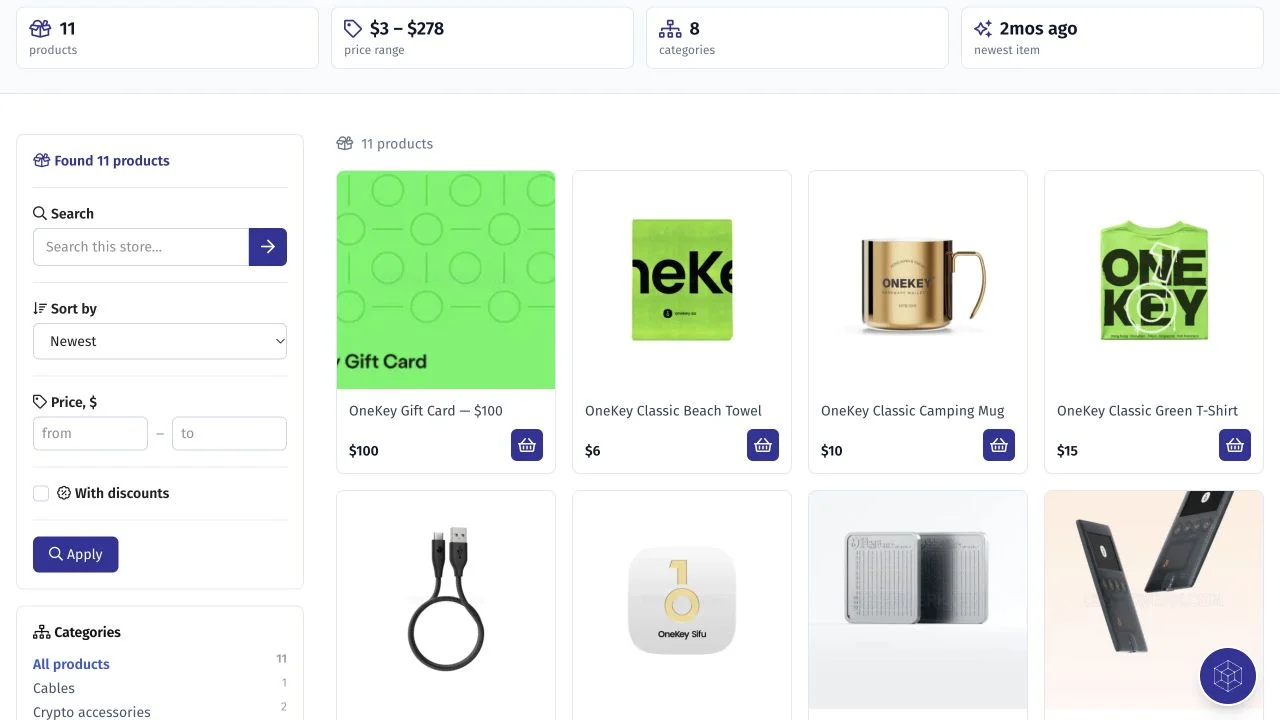
Show your products with images, prices and links to your store. Merchant Business includes capacity for up to 20,000 active products across all upload methods combined.
Choose the right package
Combine a larger product catalogue, offers and Premium directory placement.
Use a richer company profile, custom links and multilingual descriptions.
Add Geo Premium for an eligible location alongside your online presence.
Need MCP with a smaller catalogue? MCP Starter includes up to 10 active products; MCP Pro includes up to 2,000. Merchant Business adds Premium directory placement and capacity for up to 20,000.
Getting started
Select the package for one company. Contact sales if you need to confirm category pricing or setup requirements.
Complete your profile and add products manually, or connect a supported feed yourself.
Set up merchant MCP, review your company card and give your assistant its first task.
Questions before you start
Merchant Business includes Premium listing and priority placement in relevant directory categories, plus capacity for up to 20,000 active Market products. MCP Pro includes up to 2,000 active products and does not include Premium directory placement. Both include merchant MCP, up to 6 active offers, supported listing and discount translations, and eligible Geo Premium.
No. You can add products manually or connect a supported feed yourself. MCP is an additional way to manage your company profile, manually managed products, offers and supported translations through a compatible AI client.
You need a client compatible with the Cryptwerk merchant MCP server. Connection options depend on the client and your account permissions. Start on the AI agents page; if you are unsure about your client, ask us before ordering. The AI provider's subscription and usage fees are separate.
No. Feed-managed products remain under feed synchronization. MCP can work with manually managed products. The 20,000-active-product limit applies to all upload methods combined. Supported feed connection is self-service; ask sales to confirm compatibility if you are unsure about your feed.
No. The package gives you tools to manage translations of your listing and discounts in all supported languages. You can prepare them with your compatible AI client and review the wording before submission. Staff translation and ongoing content management are not included.
Category-specific Premium pricing may apply. Tell our sales team which company and categories you want to promote so they can confirm the applicable price before you order.
The included services run for the term you select: three months, six months or one year. Before ordering, ask sales to confirm your activation and renewal arrangements, including any catalogue changes needed when the selected term ends.
Bring your profile, products and AI tools together with Merchant Business.
Proceed to payment
Pay in crypto — you choose the coin on the next page.
Or open the payment link:
It is valid until .
Once the payment is confirmed, our manager starts your service and lets you know.
